
- One course
- Up to 30 students
- JavaScript and TypeScript exercises
- Assignments and submissions
- Progress tracking
- Public GitHub submissions
For programming teachers & schools
Live lessons and
coursework, together.
Teach live, share course material, set programming assignments, and give feedback in one teaching workspace.
One course · Up to 30 students · No credit card
Opens the existing Codington workspace.
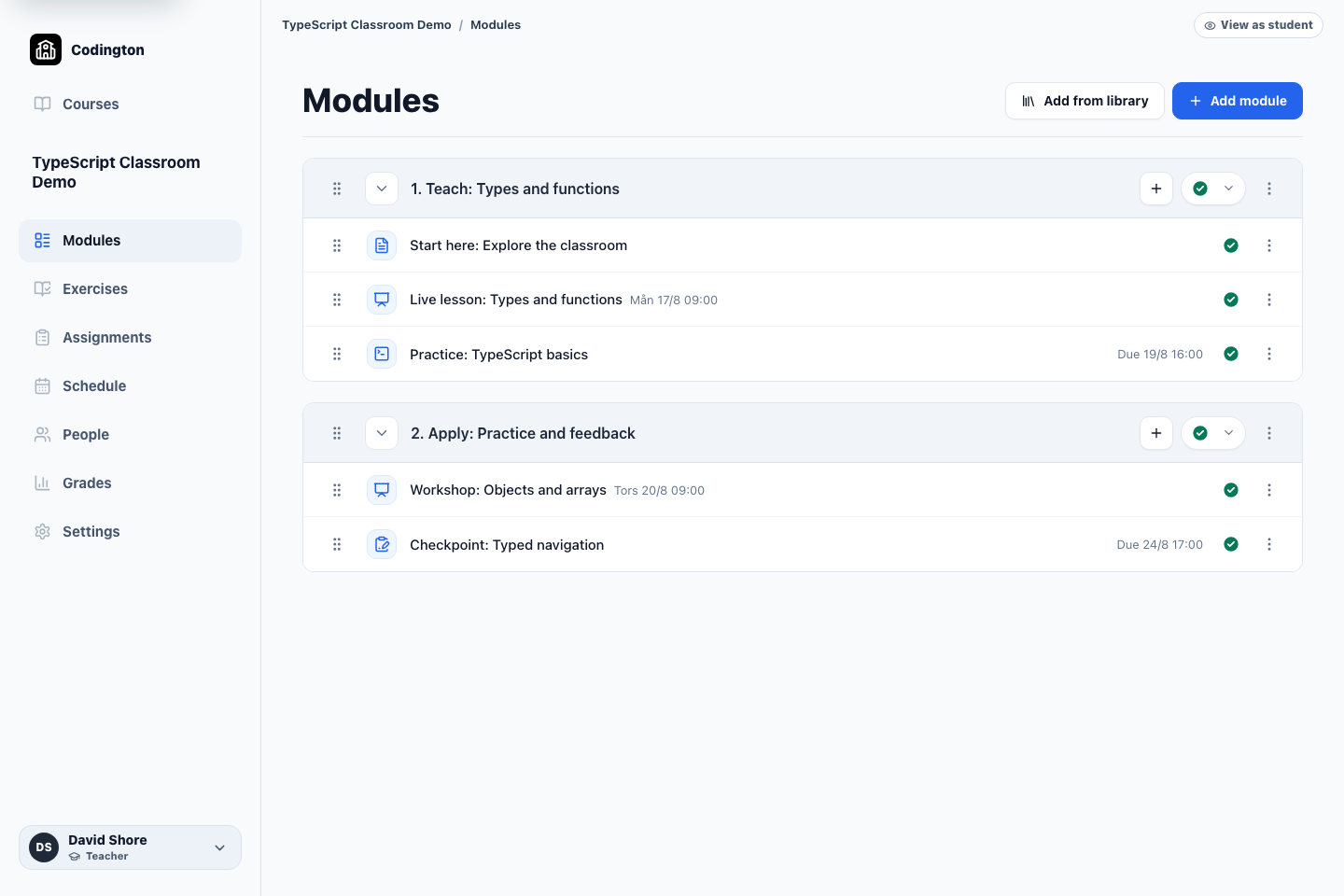
Your course, in teaching orderTeacher view
Before, during, and after the lesson
Keep the lesson connected to what comes next.
01 · Before the lesson
Prepare the course.
Organize your material, plan the lesson, and prepare coding exercises or a project for students to work on.
02 · During the lesson
Teach live.
Meet with students, share your screen, and work through programming examples together.
03 · After the lesson
Keep learning moving.
Students continue with exercises and GitHub assignments. Review their work and keep feedback with the course.
Tools for the whole programming course
A connected teaching workflow.
Start with the part of your course you need help with. Explore the actual workflow, what students see, and each tool’s current boundaries.
010203040506
Modules
Organize lessons, pages, exercise sets, workshops, and assignments in the order students should meet them.
Schedule
See lessons, workshops, exercise deadlines, and assignment due dates together in the course calendar.
Exercises
Assign browser-based TypeScript practice and see what students have completed and what comes next.
Assignments
Place project work in the course, collect public GitHub submissions, and keep review and feedback with the student record.
People
Manage the students and teachers who belong to a course and keep their access connected to the course record.
Grades
Review assignment results and final course grades in one overview, using the grading system selected for the course.
For teachers
Teach with real code.
Connect live lessons with focused coding exercises and larger GitHub projects. Review submissions, give feedback, and follow the class’s progress between lessons.
See the teacher workflowFor schools
Start with one real course.
Explore how the workspace fits your teaching before making wider changes. Discuss your course, student group, and existing tools with us.
Talk about your schoolFree plan
One course. Up to 30 students. Free.
Create a complete course with TypeScript exercises, GitHub assignments, progress, feedback, and grades. No credit card required.
Before you start
The short, honest version.
Where do I sign in or find my existing course?
Continue using your existing Codington account and course links. Learnington is the new home for teacher and school information; the teaching workspace and live courses still run on app.codington.io. Screenshots show that existing workspace.
Can learners use the programming exercises without an account?
Yes. On codington.io, the public JavaScript and TypeScript exercises are free to open and practise without creating an account.
Does the teaching workspace create GitHub repositories for students?
Not today. Teachers provide or link the repository workflow, and students submit a public repository, branch, and commit to the teaching workspace.
Can the teaching workspace access private GitHub repositories?
Not today. The current GitHub assignment workflow supports public repositories only.
What does the free plan include?
The free plan includes one course and up to 30 students, with no credit card required.
Bring your live lessons and coursework together.
Explore a teaching workspace built around programming courses, from the live lesson to coding practice, submissions, and feedback.
No credit card required.